Showing posts with label Blender. Show all posts

Tuesday, December 24, 2024

Christmas Newsletter Illustration, 2024


Deciding on what exactly to do this year proved a difficult decision for me. In years gone by the imagery flowed with greater ease, or I already had an image waiting in the wings. Starting around Thanksgiving, after mulling it over for a couple weeks, or so, I finally decided on sharing something that goes well beyond the Christian mainstream. A concept that is alluded to briefly in the Bible, that has an expanded meaning due in no small part to the Book of Mormon and modern prophetic revelation. This Christ centered idea of the Tree of Life is deeply meaningful to me and my family. Every Christmas, not only do I share the story of the nativity, but I also include Nephi's vision of the Tree of Life and its meaning. The ideas engendered in his vision of our Lord and the Tree have become inseparably welded into my heart and mind whenever I see a Christmas tree. For me the Christmas tree is a symbolic representation of the Tree of Life pointing us to God through the living Messiah, even Jesus Christ.

The first part of this post will be about the process and tools I used to create the illustration. If you are willing to stick around, the second half will be a more in-depth explanation of the meaning behind the illustration.

Saturday, January 20, 2018

Photo realistic 3D renderings progression

I've been interested in 3D for a while. Decided I wanted to take things to a new level with an attempt at creating photo realistic imagery using Blender. In this post I show off some of my first attempts in this field.


What to use as a project?

Decided I needed to create an environment in which to practice. I had already created some models of chess pieces I hope to get 3D printed into a full-blown chess set. The thought crossed my mind that I could model a chess board in Blender, and place what pieces I have created on the board. Figured this would be something interesting to show off as well.


Resources

I searched around on Youtube and came across a channel called Blender Guru. This guy has all kinds of vids on 3D creation, in particular using Blender as the primary tool. He constantly plugs his own web site, which has a decent amount of free resources for texturing and backgrounds. So, all of the texturing you see in the images in this post come from this guys web site which is https://www.poliigon.com/. Without his generous sharing of resources and information none of these images would be possible. I hope in the future to create my own textures and back grounds for objects and settings.

The images

Below are some of the more successful renderings that have resulted from educating myself on using Photo realistic materials and textures.

Objects

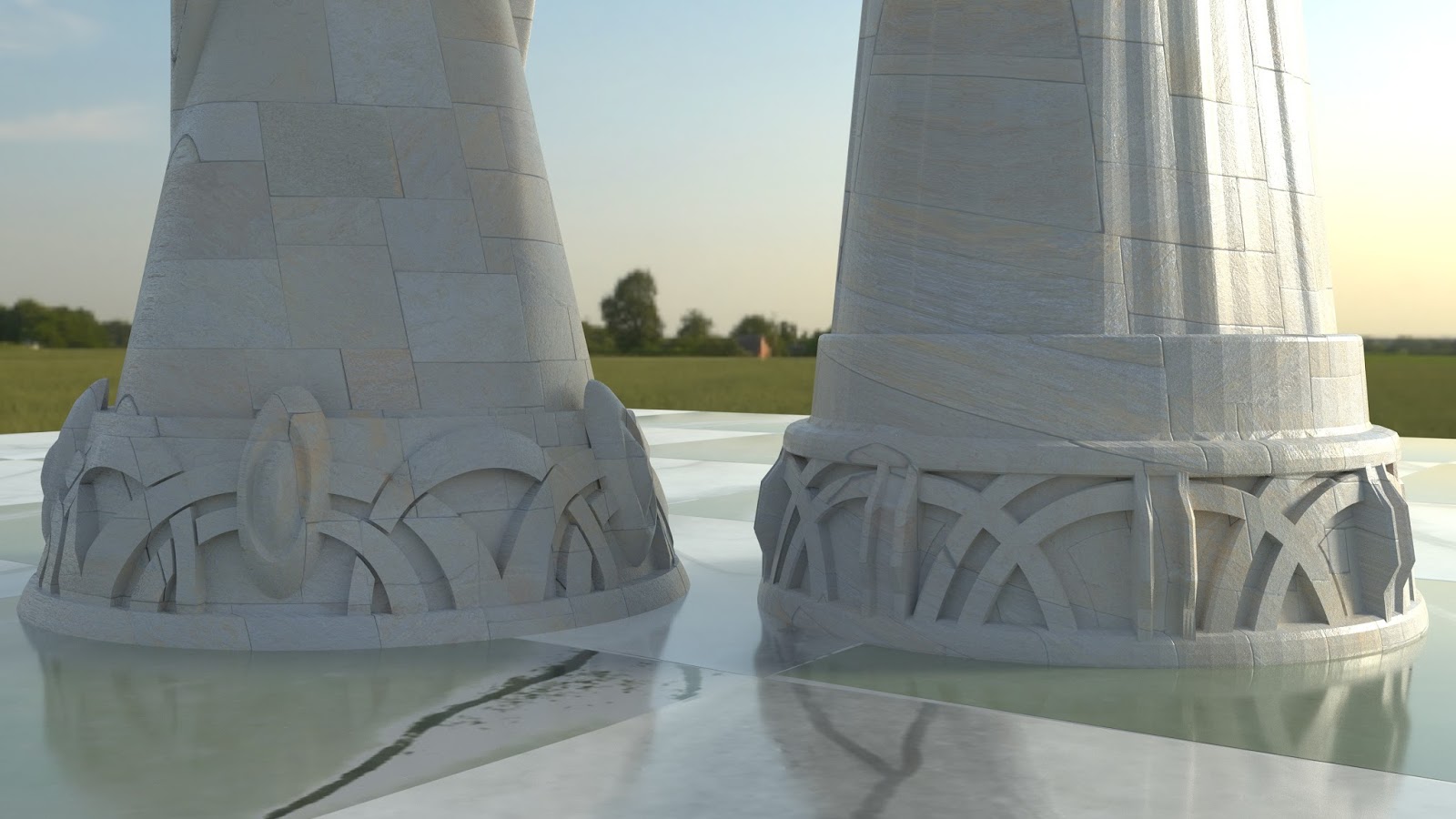
I used a marble texture on the board squares, Fine dark wood for the edge of the board. On the pieces themselves I am using a tile texture that would normally go on a pathway on the floor in a home. But for purposes of learning how to texture objects i think they work pretty good on the pieces. I am using the same texture on the pillar holding the board up.

Background

For the background I am using a 360 degree VR high dynamic range photo provided by Poliigon.com. This definitely ads serenity to the scene. It also simplifies things a bit, because the sun is the single source of light in the image.


What I learned from this: Imperfection is the goal

It is so easy to make things look perfect in a 3D environment. The human eye is very hard to trick. In order to push realism in Photo realistic imagery it is necessary to tweek edges and serfaces in such a way that they look like they have been created by human hands. With these images that is a mixed bag. On the joints of the board, I did a decent job of this. However, the corner edges going along the board are too straight to be considered realistic. So there is much I would have to do to push the realism even more. All things considered, this is not a bad first attempt.


Monday, August 11, 2014

News in Education page and 3D render


Been thinking about doing a One-page on Honeybees for quite some time. I wanted to get super-creative on this. Unfortunately things didn't quite go as I had hoped. Read on if you would like to know more about them and the renders of the 3D bee that, in the end, I chose not to use.


Wednesday, June 25, 2014

An Amazing Ant spread for Deseret News

Now that school is finished I have begun, again, to do more projects for my current employer Deseret News. What you see below is the result of several weeks of graphics and research work. I give much thanks to antark.net for most of the research material. The site is fairly simple but full of all kinds of great info on ants.


 The process

I chose to take advantage of my limited skills in Blender 2.7 to create the ant illustration. I sifted through hundreds of ant images. Amazing how many shapes, sizes and colors ants come in. I chose to go with a sort of generic worker ant. I can't get over what a pleasure it is to work in Blender. By far it is the most dynamic and evolved of all the open source programs available. Blows my mind that it is FREE.

The two graphics on the right were created in Adobe Illustrator. I painstakingly outlined from raster images to get what you see here. Originally I wanted to use my 3D ant to help illustrate the innards of the ant. But as the deadline drew near I realized this was

Friday, March 28, 2014

Blender graphic for print and online

I recently had the opportunity at my work to use Blender 3D to create an illustrative graphic for print and online. This was my first time using the program for something having to dowith my job. Thought I would share what the graphic and the print layout look like.

The Story is about becoming a media-savvy family. If you are interested in reading the article it is quite informative.


Essentially I took a stock photo and used it as a UV map on the house. I wanted to keep things simple and iconic, sending the message to the viewer that this story will be about technology and family in the home.

Saturday, March 15, 2014

A box kite and a little faith

Last Wednesday I met with our local Scout troop. For about an hour we assembled a simple box kite. In preparing to show the Scouts how to do this I had to find a simple design. I found a tutorial on a site called MyBestKite.com. Looking over the instructions for this, I realized they were way to convoluted to share directly with the boys. I decided to simplify the instructions substantially by creating a single page with images and diagrams. The rest would come from me, verbally telling them what to do.

Blender 3D

I created the below images in about 30 minutes using Blender 3D. Of all the Open Software I have ever used, this is by far the most polished and developed. The sheer scope of the capabilities of this program are amazing. I have barely scratched the surface of what I can actually do with it.


Cassie and Licorice remembrance Portrait, October 2025

 I digitally painted this as a remembrance for two dogs our family grew to love and adore. The dog in the foreground, Licorice, has passed t...

Other Popular Posts